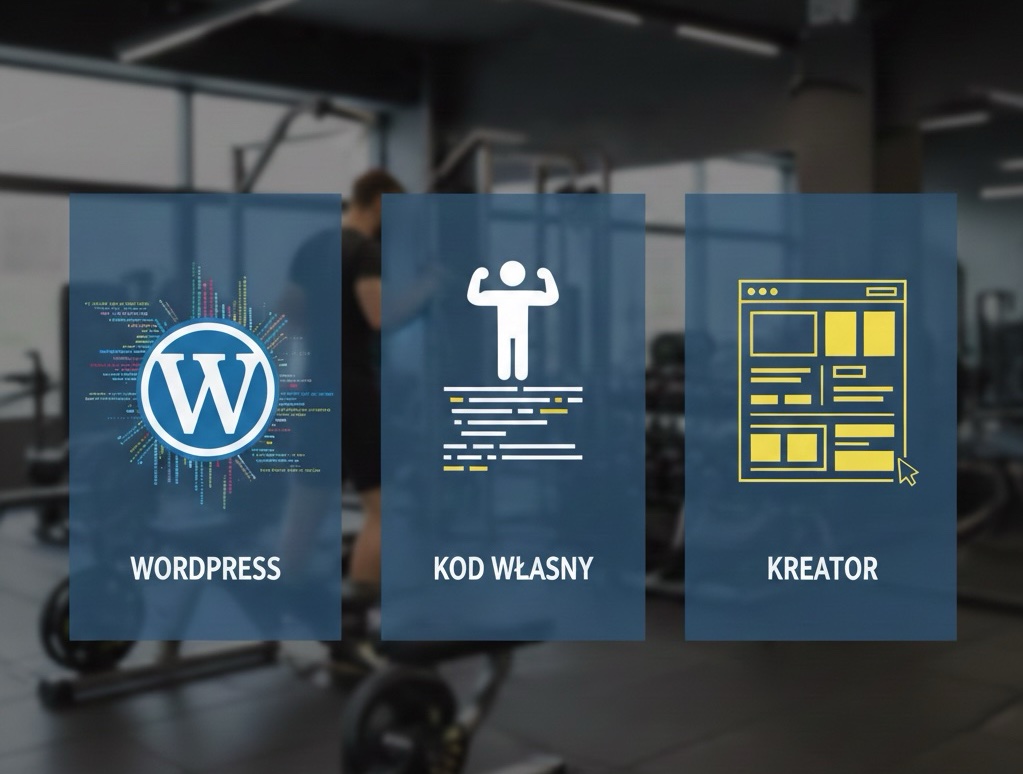
Personal Trainer Website – WordPress, Custom Code or Website Builder? Complete Guide
I’m a web developer, but also a personal trainer. I operate in Wrocław and Siechnice, so I know the topic of websites for trainers from two sides – as someone who builds them, and as someone who uses them daily in my fitness business.
This article is everything I’ve learned over the years – both by making my own mistakes and observing the mistakes of other trainers. If you’re facing the choice of a website for your training business, read this before you spend a single penny.
1. Budget – How Much Does a Trainer’s Website Really Cost?
Let’s start with money, because that’s usually the first decision filter.
Website Builder (Wix, Squarespace, Webflow): You start from $0 (free plans) to about $20–60 per month for a decent package. Sounds cheap, but remember – you pay every month, without interruption. After 3 years that’s already $720–2,160 and still nothing is “yours.”
WordPress: Ready-made template + hosting is an expense of around $200–800 to start, plus about $20–40 per month for hosting and any premium plugins. If you hire someone for configuration – add $800–3,200 for implementation.
Custom-built Website: Here we start from $2,000 upwards, and realistically for a decent project we’re talking about $4,000–12,000. Hosting can be cheaper (even $8–20/month), but every change is another invoice from the developer.
Hidden Costs No One Talks About: Template change because “it doesn’t fit after all.” Website repair after a failed WordPress update. Adding a feature you didn’t think about at the start. Each of these is an additional expense – regardless of the chosen solution.
My advice: don’t just look at the entry price. Calculate costs 3 years ahead.
2. Implementation Time – When Will Your Website Start Working?
As a trainer, I know that every day without a website is potentially lost clients. As a developer, I know that rushing is the enemy of quality.
Builder: An evening, maybe a weekend. You can have a working website in 4–8 hours. It will be simple, but it will exist.
WordPress: From a few days (if you do it yourself with a ready template) to 2–6 weeks (if you hire an agency). A fully refined version with booking, blog, and integrations – even 2 months.
Custom: Minimum 4–8 weeks for a decent site. Realistically, with iterations and corrections, 2–4 months.
There’s something I call “time to first publication” vs “time to fully functional site.” These are two different moments. You can set up a landing page in one evening and collect leads, and build the rest gradually. And honestly? For many trainers at the start, that’s enough.
3. Control and Flexibility – What Can You Do With This Website?
This is where it gets interesting, because the needs of a personal trainer are quite specific.
You need:
- training reservation system,
- ability to sell packages or plans,
- client panel (optional),
- blog for building SEO and authority,
- social media integration.
Builder: Offers many ready-made add-ons, but you’re limited to what the platform provides. Want a custom booking system? Forget it. Want a client dashboard? Probably not.
WordPress: Plugins give enormous possibilities – WooCommerce, Amelia (booking), LearnDash (courses). But each plugin is a potential compatibility problem and another thing to update.
Custom: You can build literally anything. The question is whether you can afford it and whether you really need it at this stage.
Most trainers I know overestimate their needs at the start. You don’t need a platform like Nike Training Club. You need a site that clearly says “I’m a trainer, here’s my offer, book a training session.”
4. Performance – SEO, Speed and Local Reach
This is a topic close to my heart, because as a trainer operating locally in Wrocław and Siechnice, I know how important it is that someone typing “personal trainer Wrocław” finds exactly me.
Loading Speed is not a gimmick – Google officially includes it in ranking. Builders can be problematic here – they load a lot of unnecessary code. WordPress can be fast, but requires optimization (cache, image compression, good hosting). Custom gives the most control over performance.
SEO is a long-term game. WordPress wins here with tool availability (Yoast, RankMath). Builders have basic SEO options, but lack advanced capabilities. Custom requires manual care for every aspect of technical SEO.
Local SEO is crucial for a trainer. Google Business Profile, consistent NAP data (name, address, phone), local keywords – you must have this regardless of platform. The website is just one piece of the puzzle.
5. Security and Updates – Who’s Watching Your Site?
Sounds boring? Maybe. But imagine your site gets hacked and instead of training prices it displays casino ads. I’ve seen it. It’s not funny.
Builder: Security is on the platform’s side. You don’t deal with it. That’s a big plus.
WordPress: Here the fun begins. WordPress powers about 43% of websites on the internet, making it a prime target for attacks. Regular updates of core, plugins, and theme are mandatory. Neglect it for a month – you risk a break-in. You need either technical knowledge or someone to handle it ($20–80/month for maintenance).
Custom: Security depends on the developer. A well-written site can be very secure, but who will update it in 2 years when a new vulnerability appears?
The question you must ask yourself: how much time do you want to spend maintaining the site instead of training clients?
6. Scalability – From 10 to 100+ Clients
You start with 10 clients. Everything works. Then you get popular – 30, 50, 100 clients. Maybe you add online training. Maybe you sell nutrition plans. Maybe you build a team of trainers.
Builder: Works great on a small scale. With expansion it starts to hurt – feature limitations, more expensive plans, lack of flexibility.
WordPress: Scales well, as long as infrastructure (hosting, database) keeps up. With 100+ clients using booking and client panel, cheap hosting at $4/month won’t cut it.
Custom: Theoretically the best scalability, because everything is tailored. Practically – requires continuous developer engagement and growing budget.
The key is choosing a solution that fits your current stage but doesn’t close the door to the future.
7. Ownership and Independence – Whose Site Is It Really?
This is a topic few think about at the start, but that can wake you up at night.
Builder: Content is yours, but the site lives on someone else’s server, in someone else’s system. Wix goes down – your site disappears. Want to move the site to another provider? You can’t. You build from scratch.
WordPress: It’s better here. WordPress code is open source, content is yours, you can move the site to any hosting. But watch out – if an agency used their own theme or custom plugins, you may be dependent on them.
Custom: Code should be yours (make sure you have this in the contract!). But without access to the developer who wrote it, modifications can be difficult or expensive – because another programmer must first understand someone else’s code.
Most Important Rule: Always ask – who owns the code, domain, and content? Have access to everything. The domain should be registered to you, not to the agency.
8. Ease of Daily Management
As a trainer, during the day you have training sessions, writing programs, responding to clients, managing social media. How much time do you have left for managing the site?
Builder: Clear winner here. Adding a blog post, changing a photo, updating pricing – it’s a matter of minutes. Drag and drop, no code, no stress.
WordPress: The Gutenberg editor is ok, but not always intuitive. With more complex sites (built on Elementor or Divi) simple changes may require some learning. But after training – you can manage.
Custom: Depends on whether the developer built an admin panel. If yes – great. If not – every change is an email to the programmer and waiting.
Delegation Issue: If you plan to hire a virtual assistant to manage the site, a builder or WordPress with a good page builder will be easiest to hand over. Custom requires documentation and deeper onboarding.
9. Tool Integrations – Connecting the Pieces
Modern training business is an ecosystem of tools: booking calendar, payment system, email marketing, CRM, maybe an app for training plans.
What You Need to Integrate as a Trainer:
- Payments: Stripe, PayPal, local payment gateways
- Calendar/booking: Calendly, Amelia, Cal.com
- Email marketing: MailerLite, ConvertKit
- CRM: for managing client relationships
Builder: Offers native integrations with popular tools. Works “out of the box,” but the list is limited. Local payment gateway? Maybe not.
WordPress: Huge plugin ecosystem. You’ll find integration with almost everything. Many are free. Problem? Plugin quality varies, and conflicts between them are daily occurrence.
Custom: You can integrate literally everything, because you write the connection yourself. But each integration is time and money on development.
My perspective: for most trainers, ready-made solutions (WordPress + good plugins or builder with integrations) are enough. Custom development of integrations makes sense only when ready tools limit you.
10. Image and First Impression
I know from training experience – a client judges you in the first seconds. At the gym it’s your posture and how you communicate. Online it’s your website.
Builder: Modern templates look professional. But they’re repetitive. If your client saw the same structure at three other trainers – you lose the “wow” effect.
WordPress: Wide customization possibilities. With a good premium template and thoughtful design, the site can look really professional. But with cheap templates, the effect can be opposite.
Custom: Unique site, tailored to your brand. If you want to look premium – this is the best way. Provided you also invest in good graphic design, not just code.
The truth is: it’s better to have a clean, fast site from a builder than a slow, overloaded WordPress site with 47 plugins. Execution matters more than technology.
11. Long-term Opportunity Costs – What If You Choose Wrong?
Wrong technology choice at the start isn’t the end of the world, but it costs. Time, money, and nerves.
Migration from Builder: You practically start from scratch. You can copy content, but structure, design, integrations – everything from scratch.
Migration from WordPress: Easier, because content is in a standard database. But theme rebuild and plugin transfer is still a project for weeks.
Migration from Custom: Hardest, because code is unique. Another developer must understand it (or throw it out and write from scratch).
The cost of the wrong choice isn’t just money for a new site. It’s months during which your site didn’t work for you as it could have.
12. Which Scenario Is You?
Instead of abstract advice, let’s match the solution to your situation.
Scenario A: Simple Business Card Website
Profile: You’re starting as a trainer, you have 5–15 clients, you operate locally. You need a site with offer, pricing, contact form, and maybe a section with client testimonials.
Best Solution: Builder (Carrd, Wix, Squarespace) or simple WordPress with ready theme.
Budget: $0–800 to start.
Time: 1–3 days.
Scenario B: Site with Booking and Online Sales
Profile: You have 20–50 clients, you want to sell training packages, offer online booking, maybe sell e-books or training plans.
Best Solution: WordPress with plugins (WooCommerce, Amelia) or expanded builder (Squarespace with booking).
Budget: $800–3,200.
Time: 2–6 weeks.
Scenario C: Platform and Community
Profile: 50+ clients, you’re building a brand, you want a platform with online courses, client dashboard, loyalty program, maybe mobile app.
Best Solution: Custom development or WordPress with advanced configuration (LearnDash, BuddyBoss).
Budget: $4,000–20,000+.
Time: 2–6 months.
Summary – My Recommendation
Through years of work as a developer and trainer, I’ve come to one conclusion: the best site is one that works and earns, not one that’s technically perfect.
If you’re just starting – set up a simple site in a builder or on WordPress and start collecting clients. Don’t wait for the perfect site. Iterate. Expand. Learn what you really need instead of guessing.
If your business is growing and your current site limits you – it’s a good time to invest in a more serious solution.
And if you have questions about a site for your training business – write to me. I know both worlds and I’m happy to help you choose the best path.
This article was created based on my experiences as a web developer and personal trainer. All amounts and examples are approximate and reflect the realities of the Polish market in 2025.